Posts

Showing posts with the label interactive

Google Earth - Where in the World is Carmen Sandiego?

Image
Carmen Sandiego is back - have your students use Google Earth to learn a bit of geography while chasing her down for the Crown Jewels!  Then have them research cities, landmarks and airports and create their own version of the game. You can find the game 2 ways - if you go to Google Maps, a message will appear asking if you want to Catch Carmen Sandiego - If you go straight to Google Earth, there is a new red button to begin the game - First you will get a splash screen - When you start the game, you get your assignment - Then move into a split screen with Google Earth on the left, and the game elements on the right - Gathering information, you then "fly" to the next city based on the clues - Nostalgic for some, but it can still be a great way to introduce kids to some cities and landmarks they may have never heard of.

Google Forms - Interactive User Experience

Image
This is a really cool video on how to make your Google Form interactive - or, if you will, "Choose Your Own Adventure!"  I can think of so many applications for this...both as a teacher, and as a learning activity for students.

PBS Resources: Settle the Conflicts Between Hamilton and Jefferson

Image
FROM PBS: In the formative years of the United States, two key figures helped shape a new government: Alexander Hamilton and Thomas Jefferson. However, their vision of what that government should be and do often conflicted. In this interactive from PBS LearningMedia ’s A Biography of America , students read statements by Jefferson and Hamilton on the role of government, the virtue of people, the institution of slavery, and the role of cities. Then they decide who, in their opinion, had the more enduring vision for America. The website also provides background information and discussion questions to support teachers in using the interactive with their students. Click Here to Access Free Interactive and Support Materials Plus : A video segment adapted from PBS ’s American Experience describes the early life of Alexander Hamilton. Born outside the 13 American colonies on a small tropical island, Hamilton struggles early when his father leaves and his mother dies of y...

Documents of Freedom - FREE Digital Course from Bill of Rights Institute

Image
The Bill of Rights Institute has developed Documents of Freedom , a free , comprehensive , interactive digital course covering all the history, government, and economics topics in traditional textbooks. Written for teachers by teachers, all materials highlight primary sources and meet state standards. Teachers can search for primary-source-focused resources that fit seamlessly into their teaching plans. They can access student readings along with corresponding teacher materials, including classroom activities, presentations, and assessments. Incorporated into the readings are engaging images and videos that provide a more interesting way for students to interact with historical content. The course material is available everywhere from a laptop to a cellphone, from the computer lab to students’ homes. Students can easily adjust the display of the text and choose the style and size that works best for their individual preferences and learning needs.

Resource - USGS Historical Topographic Maps

Thanks for this gem from Greg Miller at Wired - The USGS has a new online map viewer that display maps that cover the entire country and are FREE to download.   Here's from Greg - " Hunting for historical topo maps on the USGS site used to be confusing and annoying. It involved a lot of clicking on what you hoped was the right thing, squinting at the tiny preview maps, and twiddling your thumbs while the enormous full-sized version downloaded. And then starting over when it turned out to be the wrong thing.... Now, browsing and searching for maps is much more intuitive. You can type or zoom in on a particular place, limit your search to maps of a particular scale or from a particular range of dates. You can download them in a variety of formats, from JPGs (fine for printing out a nice map to put on your wall), to KMZ files (to import into Google Earth), to GeoTIFFs (for the power users who wants to import maps into GIS software). There’s even a  YouTube tutorial  that...

Moodle - Completion Status (an advanced feature)

Image
One of the newer features within Moodle is the availability of completion status.  As an instructor, you can turn this on (as long as it has been enabled at the server level) and then use it to help students "track" which items they have completed within your course. Advantages of this feature:  There are several advantages: If you do not use the gradebook, it gives an alternative way for students to track their progress It is flexible by activity so you can set completion "standards" such as a grade or action, or even set it so students can mark it themselves It can be used in conjunction with contingencies, so activities can be dependent on each other (students have to complete one activity to see or do another) Disadvantages of the feature:  There are a couple drawbacks to using this feature as well: While a default can be set within your course, if you set parameters for completion it has to be set on each activity It has to be enabled at the server lev...

This Week's Ed Tech Info - September 16

Image
This edition - Google Timer, iPad Storage management, free Moodle course, organizing with LiveBinders, using interactive whiteboards, MACUL speaker proposals... View this email in your browser ...

Moodle 2 for Teachers & Admin - Drag & Drop into Text Question Type

Image
  Unbeknownst to many, there are various question types that can be added to Moodle to make quizzes more flexible - and more like some of the question types students may see elsewhere (read that - national testing...).  I'm going to demonstrate various question types over the next several weeks. Open University has created a whole host of question types.  Today we are looking at the "Drag and Drop Into Text" question.   Here is a video overview of how to set it up and use it: (This question types working on Moodle 2.1 forward; I am showing it running on Moodle 2.4. This addition must be added to your Moodle server by a Moodle Administrator.) Moodle Plugins - Drag & Drop into Text   Drag & Drop into Text   Documentation

iPads in Education - the Reflection App for the Mac

Image
Last week at the MACUL Conference was the first I heard about the Reflection App.  Yesterday I downloaded the trail and played...10 minutes later I had paid for the app. All I can say is.... WOW! Reflection App for Mac What does the Reflection App do? It finally provides a way to fully display your iPad2 (or iPhone 4S) on your Mac computer - NOT THE DISPLAY, BUT THE COMPUTER ITSELF! What advantage is this? One can now create how-to or tutorial videos demonstrating exactly what they are doing on the iPad.  For instance, I run Jing while running Reflection and can record with my audio directions what I am doing on the iPad. One can also easily display the iPad onto a projector connected to the computer.  I have been in many classrooms where the projector VGA cable is wired into a large AV docking system and trying to tether the iPad in puts me in a poor location in the room.   Additionally, (if you are like me) your iPad - VGA cable constantly dise...

MACUL12 Session - iOS Support Group via Leslie Fisher

At Leslie Fisher's iOS Support Group session Friday morning at the MACUL 2012 Conference. (Hmmm.... some of the material is the same as what I'm using in my session during the next session time!) Tips & Tricks Take a screenshot - press Home & Power button at same time Hidden keys - hold .com key in browser app will show other domains Split keyboard - pull keyboard apart to corners In General Settings - Keyboard -  International Keyboard - Add New Keyboard -Emoji keyboard - puts Globe icon next to space bar so you can access icons Magnifying Glass - hold finger in typing area to get cursor where you want it Apps Calendars ($6.99) - plugs into Google Calendars and has great interface & looks Typewith.me (website) - real time document collaboration ClassDoJo (website) - students behavior tracker GoSoapbox (app & website) - interaction between the speaker & the audience, can raise importance of question if multiple people select. ($80 a year) Scr...

The Web 2.0 You Might Not Know About - Leslie Fisher MACUL

AT MACUL 2012 Conference attending the Leslie Fisher session:  The Web 2.0 You Might Not Know About... (Finally up after my battery died 15 minutes before the end of the session...) RockMelt - Free browser for Mac or PC Social media browser - connects to social media but leaves you on current page Evernote Clearly can be attached to any web browser - will extract story out of web page and save to Evernote; schools.evernote.com for school accounts; can now add audio recordings; bought skitch app for drawing; solution for iPads in multiple hands (teacher on student accounts); Evernote Peek adds flash card capability for iPad Twitter - soapbox moment about uses for Education :-) Added ability to receive tweets with no twitter account, uses text messaging.  Use twitter widgets to place tweets onto webpage (real time updating...). www.coveritlive.com - backchannel room, can go to it at anytime to see as is. www.todaysmeet.com - free backchannel chat, pretty open www....

Five Friday Finds - February 3, 2012

Image
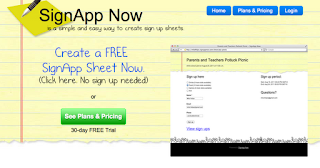
So, this week's Five Friday Finds definitely have an Elementary flavor to them, though most have applications for K-12.  As so many of the content specific sites (but not all!) are tailored to middle/high school, I thought it might be nice to pop this week's items in there.   As always, feel free to share with others as we are all smarter through collaboration!  Have a great weekend. Free Online Sign up Sheet SignApp Now Create free and easy sign-up sheets online, no account needed.  Share the url with those you want to fill out the sheet.  You can easily download the file created. Celebrating the 100th Day of School   100th Day of School Activities, lesson plans, websites and other ideas for the 100th day of school. Children's Music Nancy Stewart's Children's Music site Nancy has lots of resources on her site, this link takes you to her Song of the Month.  Each month she provides a new song for download FREE - includes "a...

ShowMe App for iPad - app review for #IEAR

Image
App Title: ShowMe App (for iPad) Grade Level: any Purpose: A The ShowMe App allows the user to record annotations along with voice right on the iPad, esentially turning the iPad into an interactive, recordable "whiteboard."  Either a blank canvas or pictures found on the iPad can be used for the base of the annotations.  When the user finishes recording, he/she has the option of uploading it into an account at the ShowMe website either publicly (anybody can find it visiting the site) or privately (viewers need the url of the presentation).  Program Functionality: A This was one of the easiest apps I've ever used.  In less than 2 minutes after loading the app on my iPad, I had created a sample annotation, created a new account at ShowMe, saved the recording to that account, and viewed/shared the recording on the web.  Seriously, LESS THAN 2 MINUTES!  I don't know that it could be easier to use than that.  Currently there are jus...