Google Mail - Attach Items from Google Drive

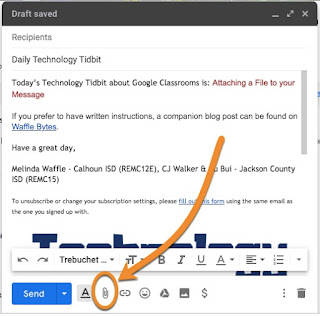
If you need to share a file that is located in your Google Drive, you can attach it via your email message. Here are the steps to do this. Begin composing your email message. When you are ready to attach the Google Drive file (or multiple files), click on the Drive icon at the bottom of the compose window A window will pop up saying 'Insert files using Google Drive.' You can find what you want to attach by using any of these methods: using the search within your whole drive select something from a shared drive selecting a file that was shared with you looking at recently modified files upload a file (you can do this instead of attaching the file as previously shared) Once you have found the file, 1) select the file, and 2) choose to share it as a link or attachment Click on insert The attachment will show up where your cursor was within the email. It will have a little icon to indicate what kind of file it is. Finish co...