Posts

Showing posts with the label Twitter

Technology Tidbit - Get Outside!

(Part of our Stay-At-Home series focused on practical ways you can use a resource to foster creativity, connections, and collaboration.) Parents - There is a growing body of research that shows being outside in nature can have positive benefits for our mental well-being.  With what we are dealing with currently, I think we all can use activities that are good for our mental health. Go for a walk There are many activities that you can do while walking.  Here are some suggestions to make it an learning adventure: Make Observations Have kids share or journal what they experienced with their senses during the walk.  For instance, today I saw  our mating crane pair was back from the south, I felt  my face warm on one side from the sun and cool on the other from the wind, I heard  the frogs that have returned to the creek.  You could even showcase a sense a day! Observe the clouds, the weather, wildlife, insects, amount/types of traffic Look for...

Technology Tidbit - Museum Treasure Troves

(Part of our Stay-At-Home series focused on practical ways you can use a resource to foster creativity, connections, and collaboration.) Maybe during our stay-to-home time is the best time to travel to other states or even other countries, just to visit Museums that we may never get the chance to see in person!  Museums both have had, and have been adding, lots of resources for parents, students and teachers the last several years.  Some of these include: Virtual Tours Apparently there are now 2,500 museums that offer virtual tours from home.  It would take a long time to visit all of them! You can find many of them through Google Arts & Culture .  Take, for example, the National Gallery of Art in Washington, DC.  You can view many of the paintings viewable there - without the crowd - and even learn a bit about them from information added on the page.  Or go to Rome and see the Sistine Chapel. Here are some ways to you might engage students throu...

#PeriodicTweets from NSCL

Image
International Year of the Periodic Table From  Zachary Constan, Ph.D. Outreach Coordinator National Superconducting Cyclotron Laboratory Michigan State University In celebration of the International Year of the Periodic Table, the NSCL social media feeds will post facts about every element throughout 2019. Follow NSCL on  Twitter   or   Facebook   and look for #periodictweets starting near the end of January!

Google Sites - Embed a Twitter Stream (on the New Google Sites)

Image
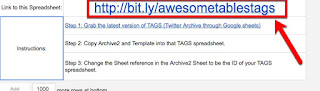
We have several schools/teachers that have been updating their websites to the newer version of Google Sites, and one of the most common questions I have been getting is how can they have a Twitter stream on the site?  The simple answer is...it's complex. In fact, until about a month ago, I didn't even think it was possible.  Then I stumbled across this video tutorial by Ben Wilkoff on just this.  (It is a paired down version of his longer (27 minute) video if you want to watch it slower.) Here's my contribution - a step-by-step screenshot tutorial.  It's a bit long, but it does the trick! 1. Start by going to Ben's template sheet - this provides the simple directions and templates needed (the link is also at the top of the sheet as seen here): 2. Make a copy of his template sheet to have your own copy (and so you can complete this process) - I recommend renaming it. 3. Grab and setup the latest version of TAGS (Twitter Archive through Google Sheets)....

Google Sheets - Using the TAGS Template

Image
If you have ever wanted a way to archive a Twitter hashtag - or Twitter user - into a Google Sheet, TAGS (Twitter Archiving Google Sheet) by Martin Hawksey is worth checking out.  It is a pretty easy to follow setup, though there are many steps.  Here's a walk-through with screenshots for those that prefer - 1. Go to https://tags.hawksey.info/ 2. Click on Get TAGS -    3. Click on TAGS v6.1 -  4. Click on Make a copy - if you are logged into multiple Google accounts, you may want to verify you are copying into the account you would like it to reside in.  5. Change the title of the copied document (1), and enter in the hashtag and/or account to archive tweets from -  6. Choose Setup Twitter Access from the TAGS menu -  7. The first time, you will need to give it authorization - click on continue to do this -  8.  Select the account you are using -  9.  You will need to allow TAGS permissions to make some...

Twuffer - An Online Way to Schedule Tweets

Image
Recently I was looking for a way to schedule tweets for my work Twitter account without using an application (such as TweetDeck).  I was on a device that was not my own, and had a need for this.  Enter twuffer - I stumbled across this (ok - really got it as a result of a Google search), and after exploring it found it to be the near-perfect tool for the job. To use twuffer , you first need to sign in using your Twitter account - if you are already logged into Twitter, simply clicking on the box will do it as it uses Twitter's API Then you need to authorize twuffer for use with your Twitter account- The first time you authorized it, you will need to establish 1 setting - your timezone.  That's it for setup!  It is now ready to use.  Just 1. enter your tweet, 2. set the date you want it to go out, 3. set the time, and 4. click Schedule Tweet.  That's it! It keeps a nice list of scheduled tweets, set tweets and failed tweets you can refer...

7 Ways to Grow from Twitter Educational Chats

Image
Last night I had about 5 minutes to hop on Twitter and catch the tail end of the #MichEd chat.  During those few minutes I had the following exchange with @techsavvyed (Ben Rimes) and @bushjms (Jeff Bush): In thinking of that conversation as I was tucking in Thing #3 at our house (at the back-scratching phase with lots of time to just think...) and some other chatter at the end of the chat time, it occurred to me that it should be re-iterated that there are many ways to grow from the Twitter educational chats that occur.  So, here's my list in no particular order. 1. Read the archives when they are convenient to you Often we have family and work events that take place during the chat times.  You don't have to totally miss out just because you couldn't be there "live."  You can do a Twitter search for the chat if you miss it by a little (this is what I do post-tucking my kids in many evening).  Another option is finding out if the educational cha...