Posts

iPads in the Classroom - Volume Purchase Program Explained (October 2011 Update...)

Image
Why you will want to establish an ‘App Store Volume Purchase Program’ (VPP). The VPP allows educational institutions to purchase apps in volume and distribute the apps in the form of redemption codes to their users or those that maintain the iPads. For many apps, if you are purchasing 20 or more of an app, you get volume discount - usually 50% off; if an app does not show the discount, you can contact the developer and request it (many will turn on that feature if they know about it) If you work for a non-profit (such as an educational institution!) you are not charged sales tax on any of your purchases through the VPP There are four different types of accounts involved in the VPP. o    Authorized Purchaser (not part of VPP, but necessary if using vouchers for purchasing) •Authorized Apple purchaser for the district – from Apple: “ This should be the person who is your normal procurement person for any Apple products and authorized to buy product on beh...
Five Friday Finds

Image
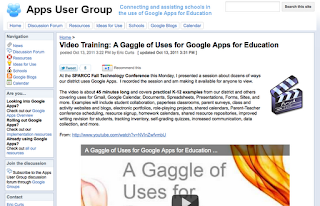
It is already our last Friday in October; where has the fall gone? Here are this weeks Five Friday Finds.  There is a definite focus on PBL (Project Based Learning) for these posts.  As always, feel free to share these with others. General A Gaggle of Uses for Google Apps for Education Eric Curts' Presentation on "dozens of ways our district uses Google Apps."  Some great ideas here! The following sites all come from the same blog site, but provide some GREAT resources and link to ideas/resource/lesson that are project based learning focused.  The resources provided have the primary focus of the subject area under which they are listed, but many incorporate more than one area. ELA Project Base Learning Language Arts Projects Mathematics PBL Examples of Math Project Ideas Science PBL Examples of Science Lesson Ideas Social Studies PBL Social Studies Project Ideas

Five Friday Finds

Image
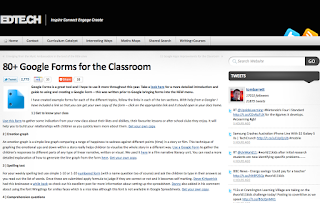
Here are today's Five Friday Finds!  As always, feel free to share with others... General 80+ Google Forms for the Classroom With many schools implementing Google Apps for Education, many teachers have found ways to integrate it into their classroom.  Here is a blog post and slide show sharing ways you might integrate it into your own class. ELA The Great Gatsby Blog A great wiki with resources, ideas, and activities about "The Great Gatsby" Mathematics BaseTen Free digital version of base ten blocks, set up in a practice game.  Students drag blocks onto the paper to hit a target number.  They progress to the next number from the existing number.  Here's a blog post with some ideas for applications in the classroom. Science Cellular Respiration "Explore how your body converts the chemical energy of glucose into the chemical energy of ATP."  This does require a download . Social Studies Latitude & Longitude of a Po...

Moodle 2: Having Students Self-Enroll in a Course

Image
Having students self-enroll into a course can save a lot of time. A teacher still has control of whom is in the course, yet does not need to go in and manually add the students by hand. One trick some teachers use to prevent additional students from adding the course once a majority of students are enrolled is to change the enrollment key. Here are the directions for setting up and using this features in Moodle 2.+. Find out if your Moodle Administrator has enabled Self enrollment; this must be enabled first at the site level.

 (if they haven’t, you can share with them that it is done at: Settings -- Site administration -- Plugins -- Enrolments --; Manage enroll plugins )
   When in your course, go to Settings -- Course administration -- Users and click on Enrollment methods.
   Click on the icon to edit the Self enrollment settings ( NOTE: the icon will vary depending on your theme):   Change appropriate settings (definitely make sure “Allow self e...